Server viewer: a tool to run queries on one or multiple SQL servers.
Last changed: 21 January 2025
Short intro
As a database administrator you will run several different queries to check servers or databases daily.
These can be queries or reports for the morning check or for getting information about properties or settings.
Every morning I start with these checks for all the SQL servers:
- show me all servers and the status from this morning at the time the data was collected
- check if the SQL agent is stopped
- check the SQL service last restart date
- check the failed jobs in the last 24 hours day and show the currently running jobs
- check on which server the availability groups are located and show the current synchronization status
- check the failover events for the last 5 days
- check the errorlog from the last 24 hours
- check full backups created more than 24 hours
- check databases with these settings: offline, autoclose, restoring, statistics, autoshrink and recovery pending
- check databases with trustworthy on
- check databases with check guest permission
- check the top 10 biggest databases used/size graphically for the last 30 days
- check the free disk space graphically for the last 30 days
To make this task easier I started in 2016 with the development of the program called: Server viewer.
Server viewer
Server viewer is a progam which can be used to run queries on one or more SQL servers.You can also open reports with information gathered by the monitor server.
For example you can get information about the security settings of a SQL server or the present logins or an overview of all databases or the size of databases etc.
Every query can be put behind a unique menu item.
The menu can be completely modified by changing the file menu.xml. This can be done in Notepad or any other teksteditor. See Change menu.
To install and run the program you can follow the five steps described under the menus at Database and Download.
Here you see some examples of generated reports.
This is the startscreen of the SQL Server viewer tool.
On the left side you see six servers which were inserted into the table 'Servers'.

Now select one or several servers, here 'Server1' is selected.
If you rightclick in the left server list then the menu will appear. Behind each menu item there is a unique SQL query which you can change.
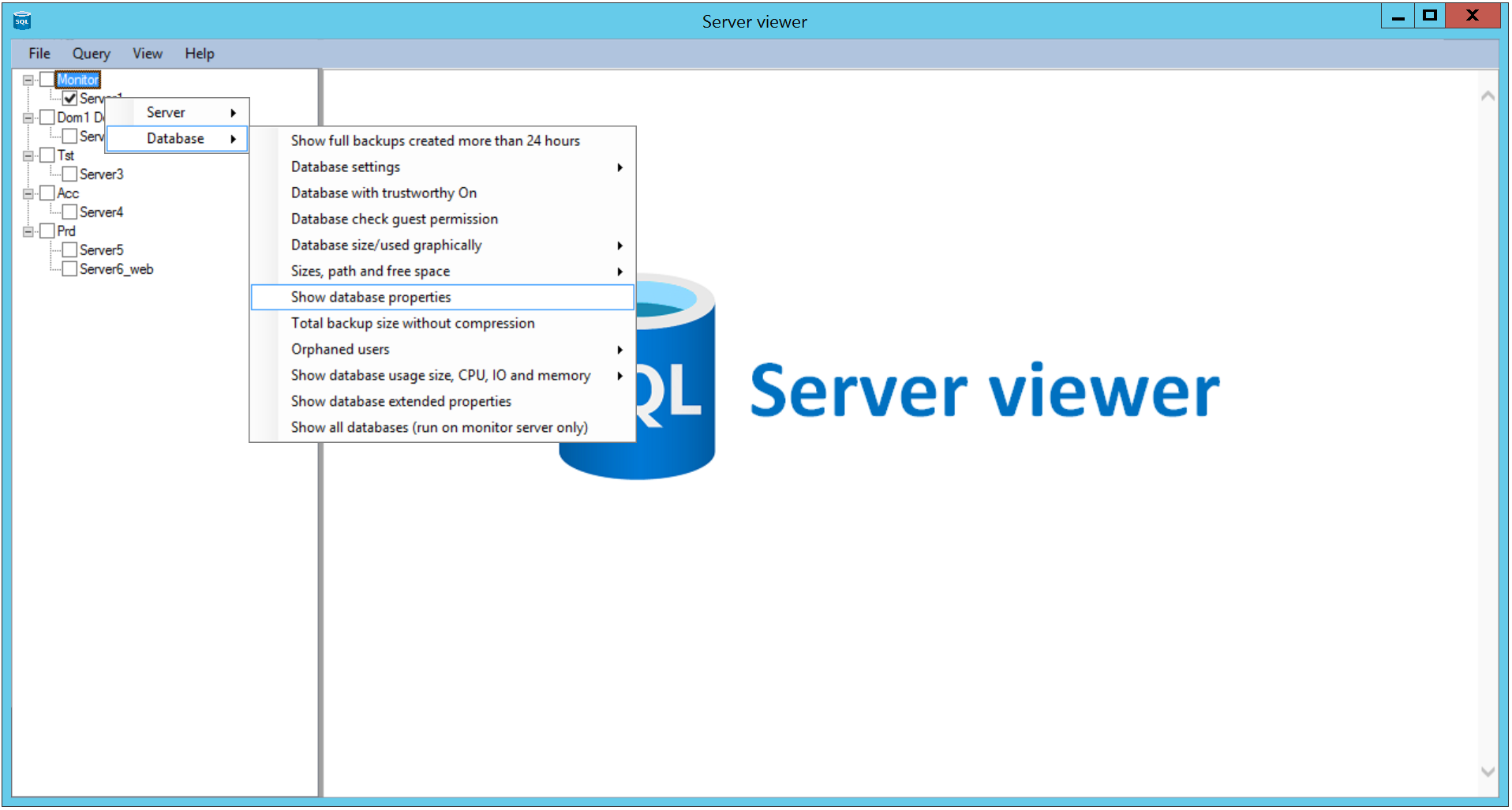
Here the menu item 'Show database properties' is clicked.
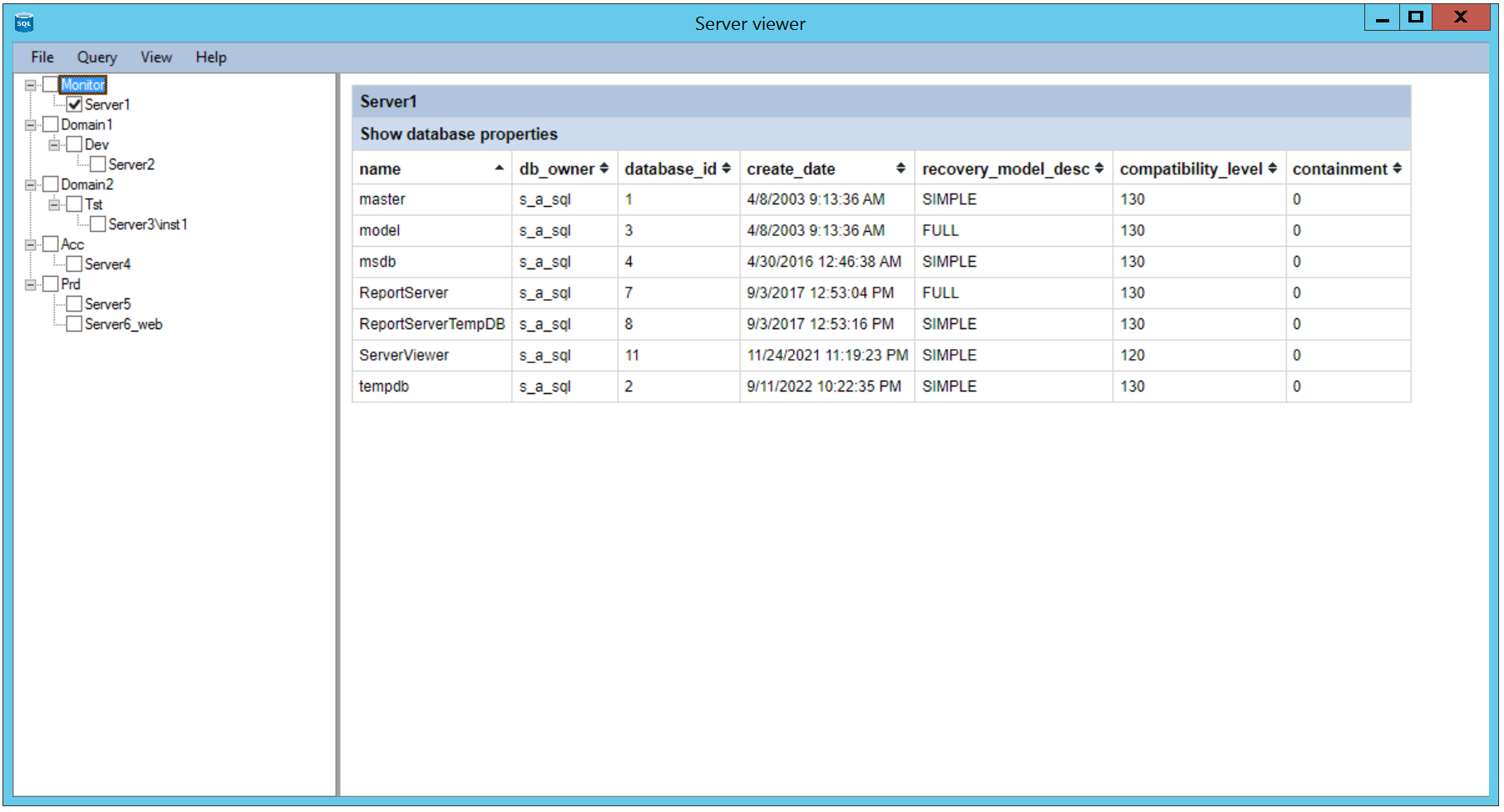
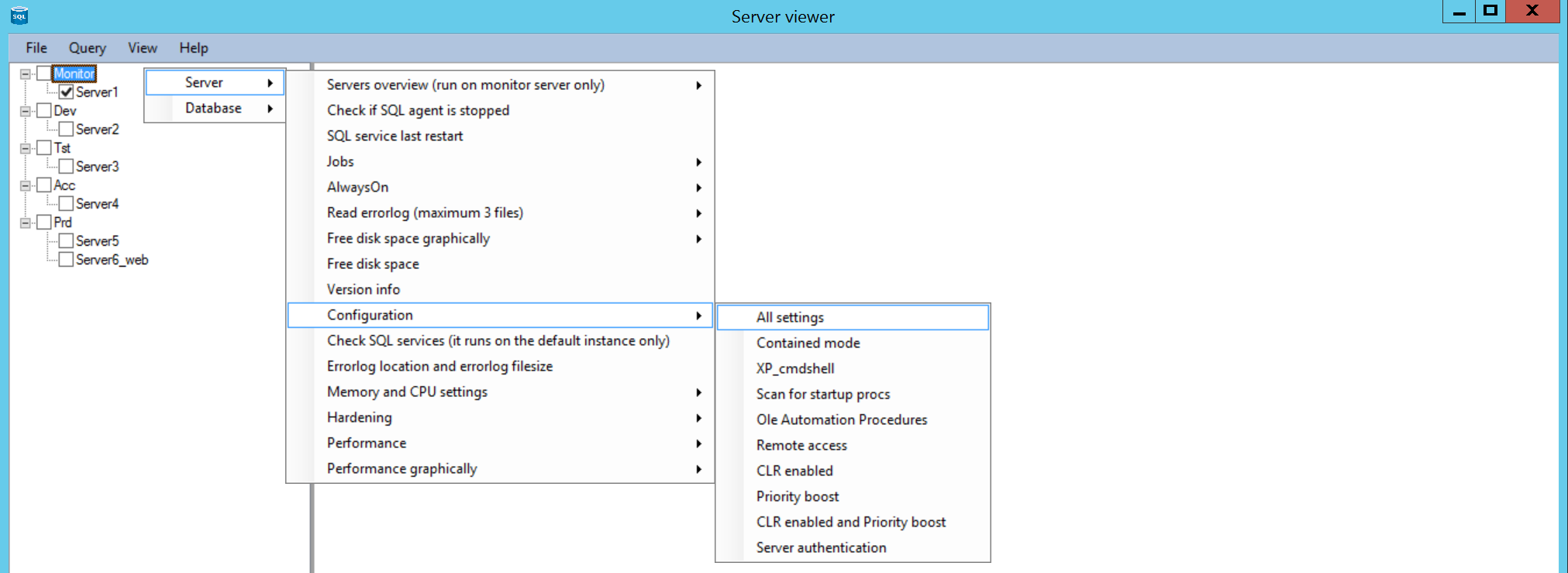
The menu that appears when you rightclick in the left server list is fully customizable.
It currently exists of two main items: 'Server' and 'Database'.
Under the menu item 'Server' there are queries which are related to SQL servers.
Under the menu item 'Database' there are queries which are related to database settings.
The menu can have multiple levels, so for example Server, Configuration, All settings or
Server, Configuration, Contained mode.
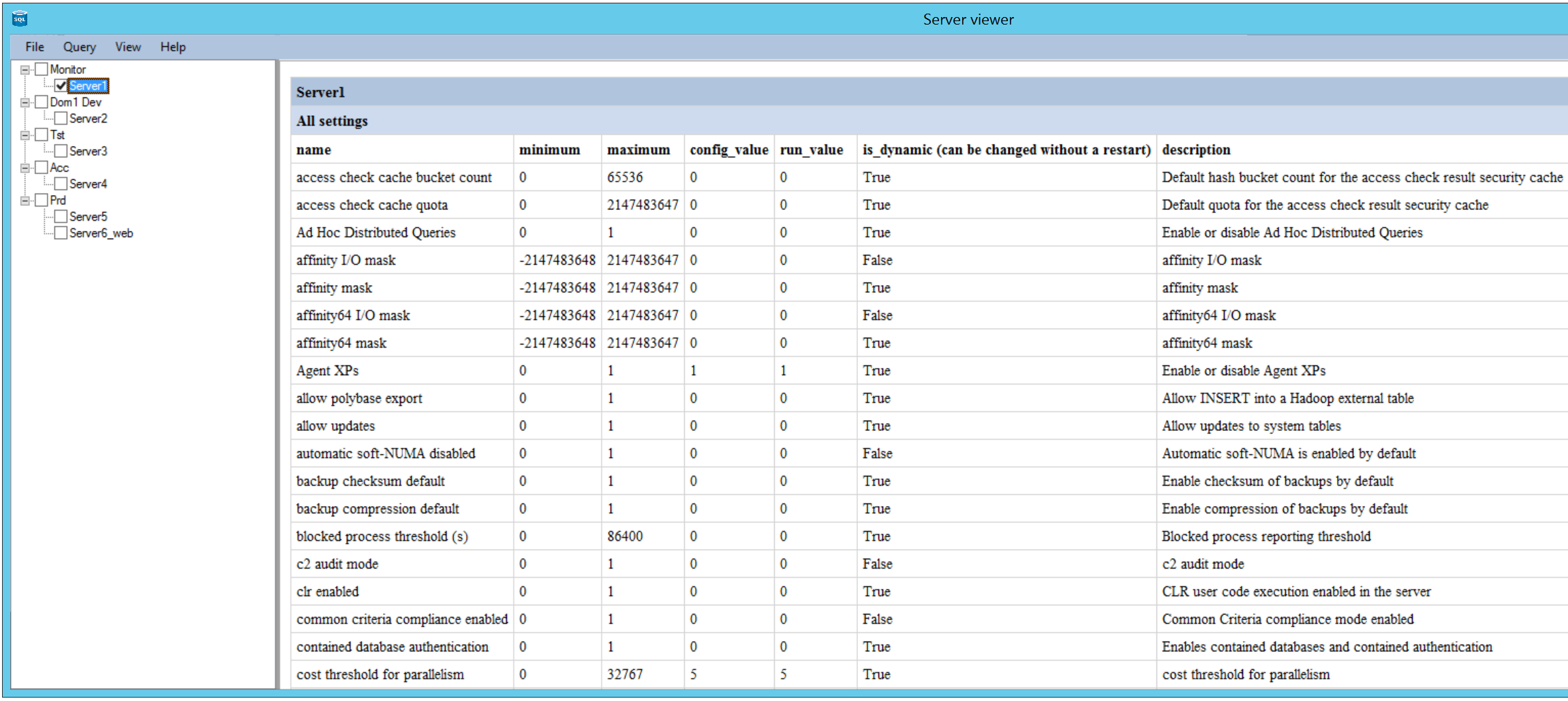
Here the menu item 'Server, Configuration, All settings' is clicked. You see a part of the output here.
To use this program follow the steps described under the menus Database and Download.
