Change menu
Last changed: 05 January 2025
Menu
The menu that appears by right clicking in the server list can be fully modified by updating the file menu.xml. This can be done in Notepad or any other text editor.
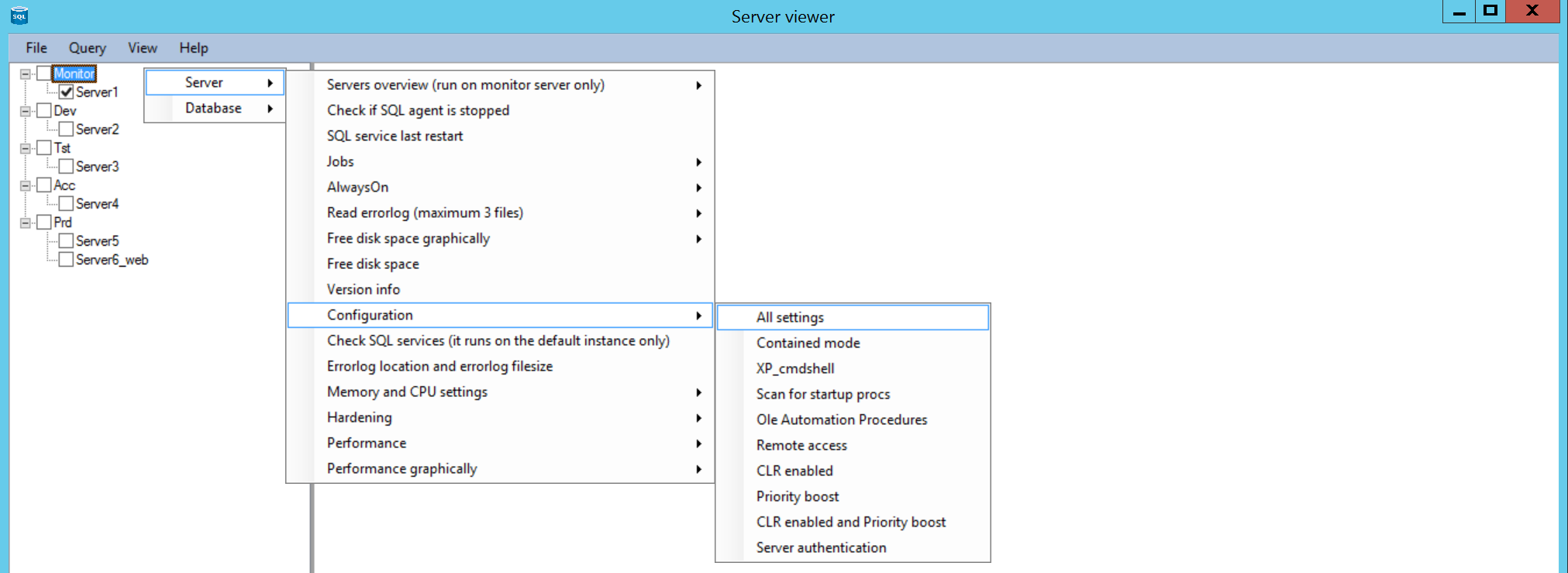
If you right click in the left server list the menu will appear. Behind every menu there is a SQL query.
The menu can have multiple levels, so for example Server, Configuration, All settings.
Example from the menufile. The main menu item here is 'Server'
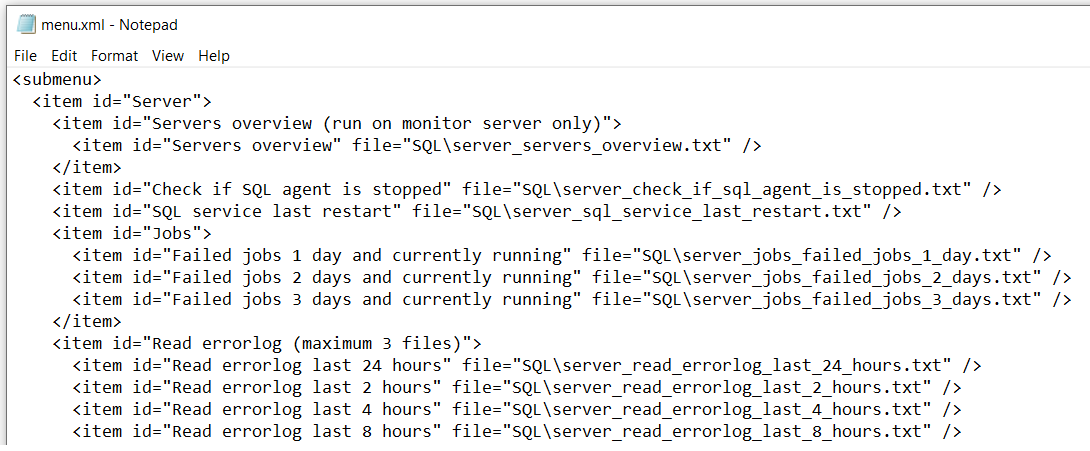
The id defines the menu item and the file defines the textfile with the SQL query that will be executed when that menu item is clicked.
