Extra tables for more reports.
Last changed: 31 March 2024
Create tables
To create more reports some extra tables should be created.
After these scripts are executed there will be 4 extra tables.
These tables should be filled with data every day.
This can be done by running SQL jobs daily on the remote servers. The monitor server collects the information once a day with a linked server.
It can also be collected with PowerShell scripts.
The tables which are needed to show a historical view for the diskspace, database growth, the last serverinformation and whether a server is up to date with server updates
are mentioned here below.
See Examples for reports generated with this 4 tables.
Create four extra tables in the database ServerViewer.
-- Drives
-- DatabaseSize
-- ServerInfo
-- ServicePackInfo
Drives
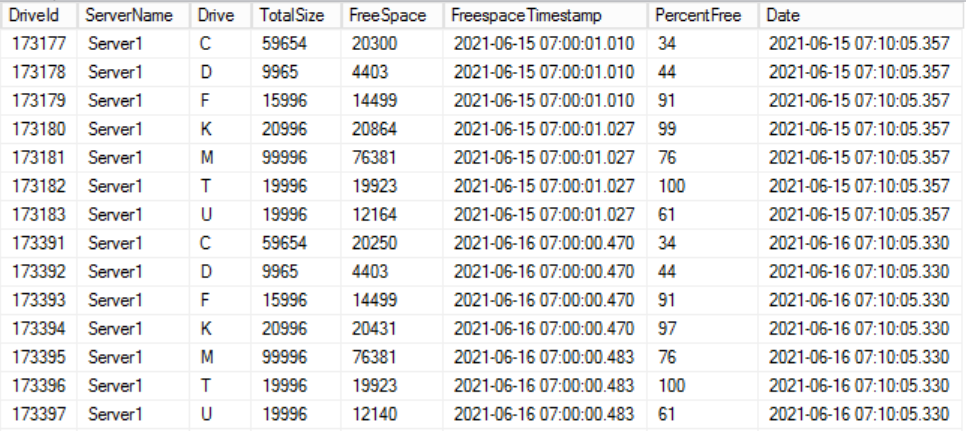
Create the table 'Drives', this contains the diskspace. Fill this daily. See SQL articles.
DatabaseSize
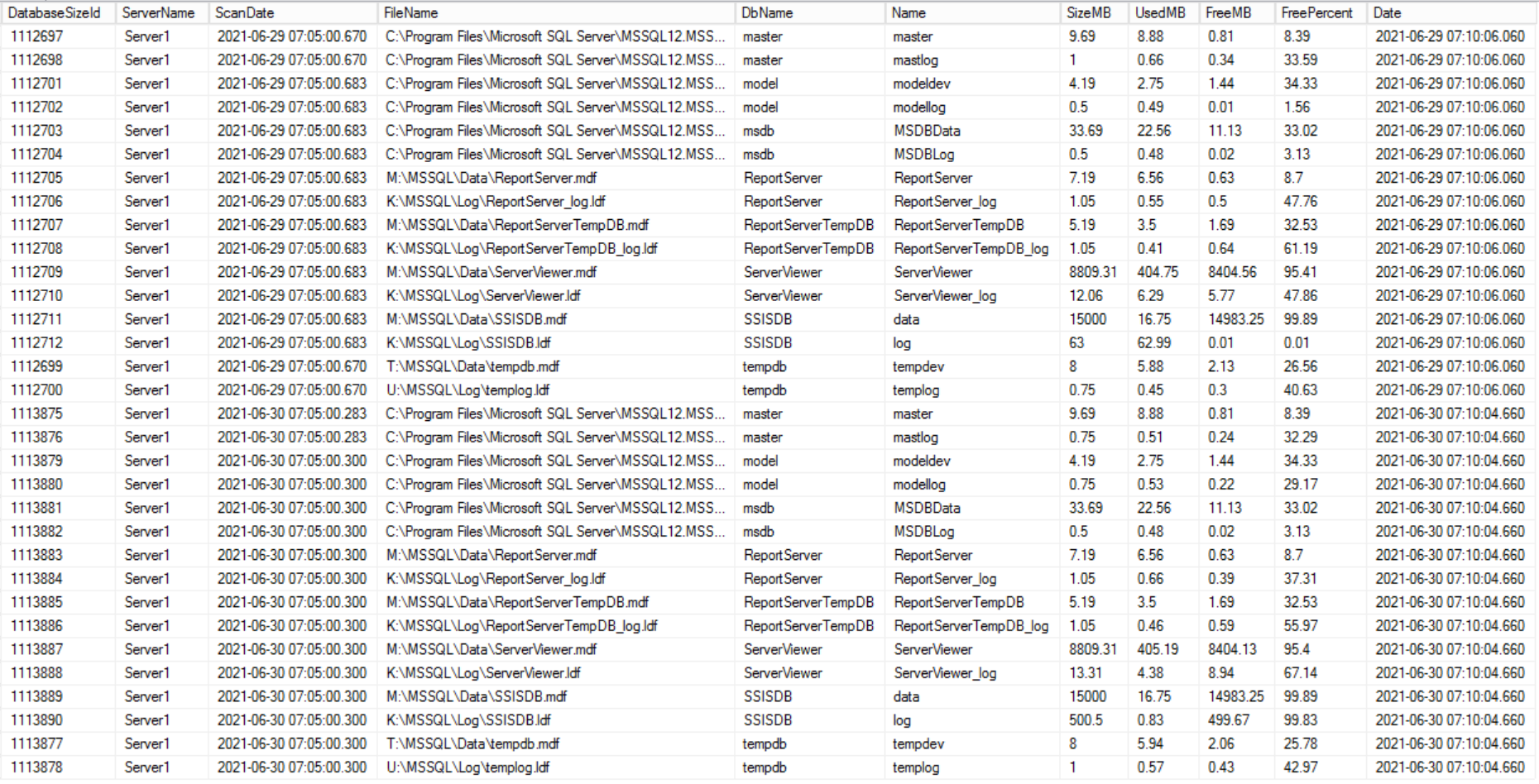
Create the table 'DatabaseSize', this contains the database usage and size. Fill this daily.
ServerInfo
Create the table 'ServerInfo', this contains information about the server. Fill this daily.
ServicePackInfo
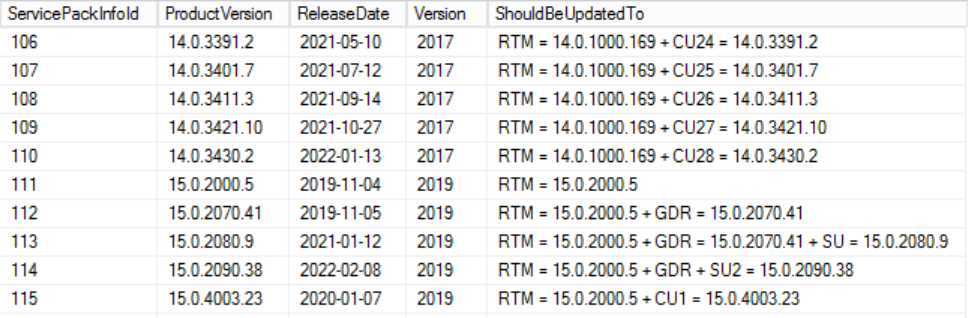
Create the table 'ServicePackInfo', update when a new SP or CU or SU or GDR or Hotfix is released.
Example content for table Drives for Server1 for two days:
Example content for table DatabaseSize for Server1 for two days:
Example content for table ServerInfo for Server1 for five days:

The info comes from sys.dm_os_sys_info.
Example content for table ServicePackInfo for 2017 and 2019:
See Examples for the reports created with these tables.
