Here you will find examples of different SQL reports.
Last changed: 01 January 2024
SQL report examples
-- Standard SQL reports
-- Graphical SQL reports
-- SQL counter reports
-- AlwaysOn reports
-- Hardening security SQL reports
Standard SQL reports
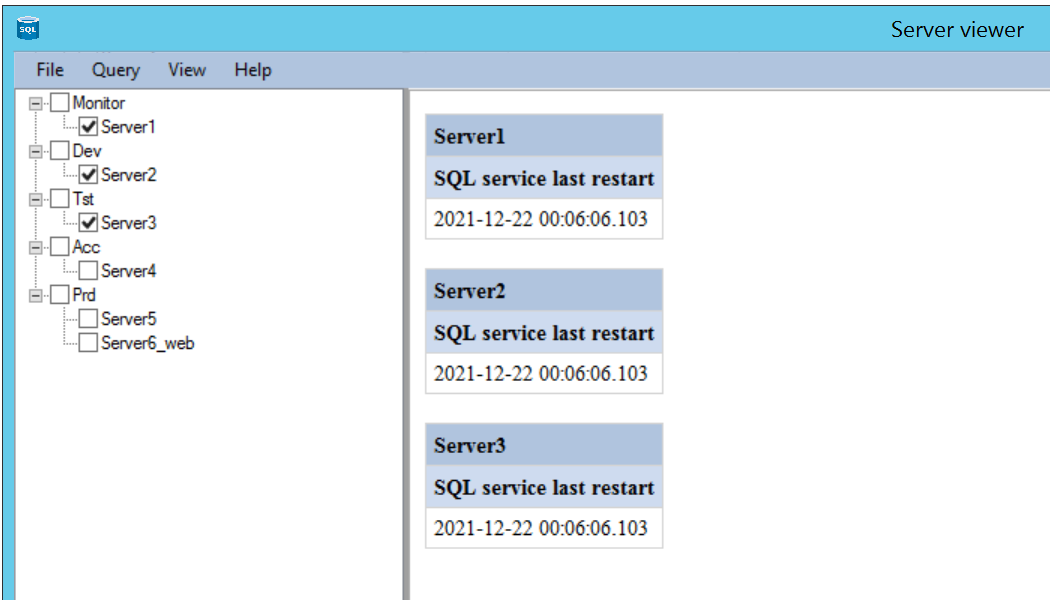
Example of a default report SQL service last restart with a query executed on 3 selected servers (the dates are the same because these are the same servers here).
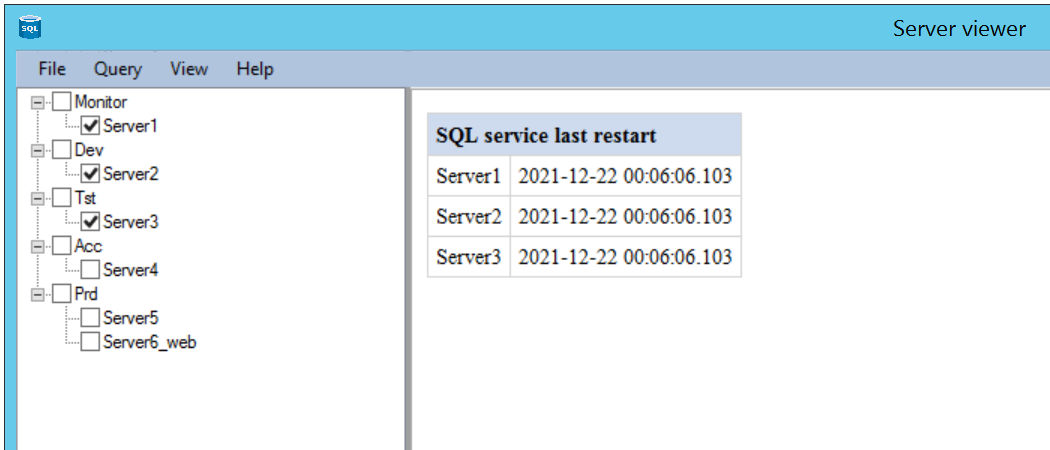
Example of a compressed report SQL service last restart executed on 3 servers (the dates are the same because these are the same servers here).
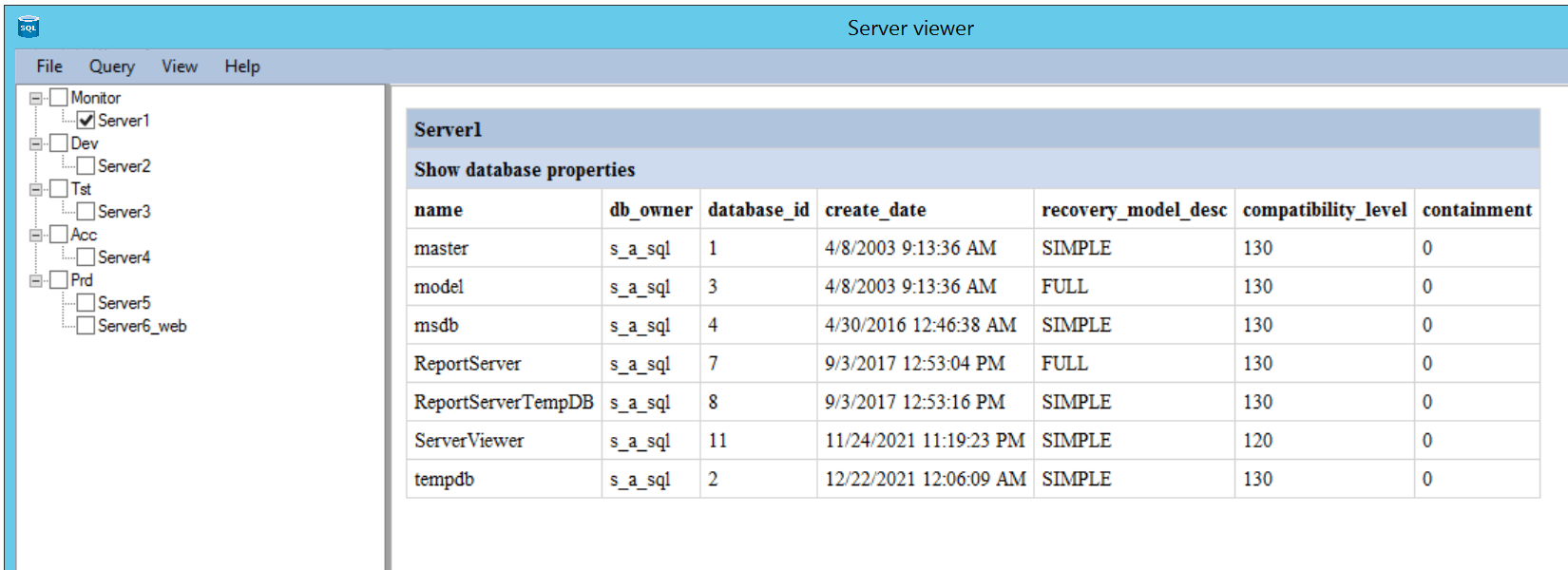
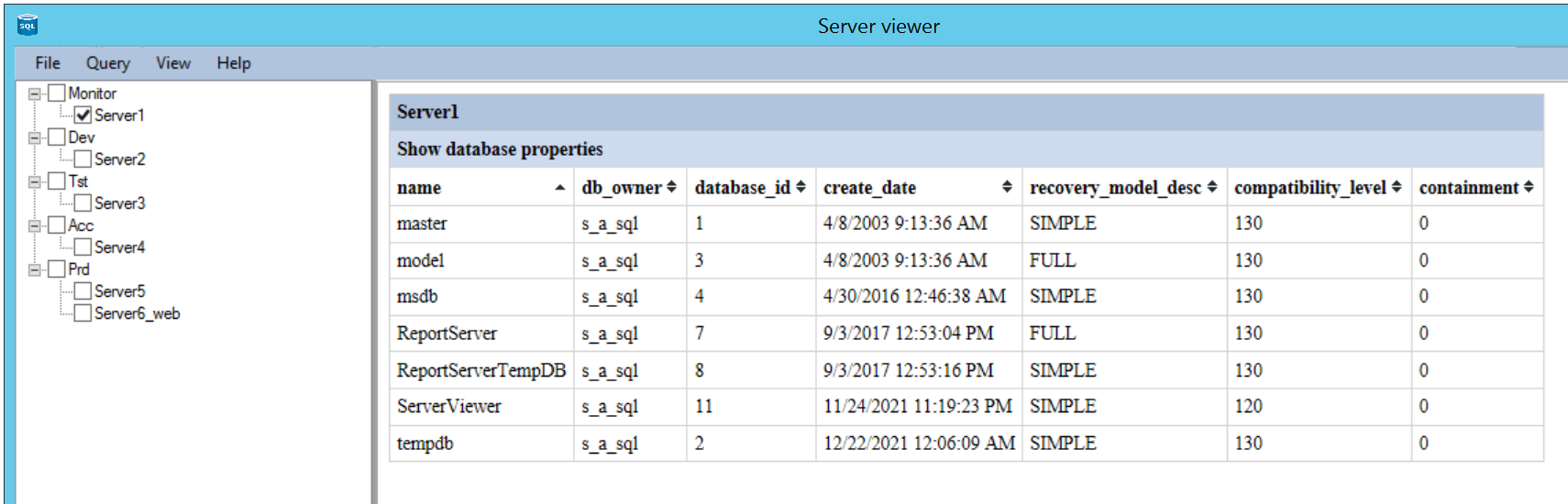
Example of a sorted (name) report Show database properties executed on 1 server.
Example of a sorted report Show database properties executed on 1 server which can also be sorted per column. You can sort on 1, 2 or 3 columns by using shift.
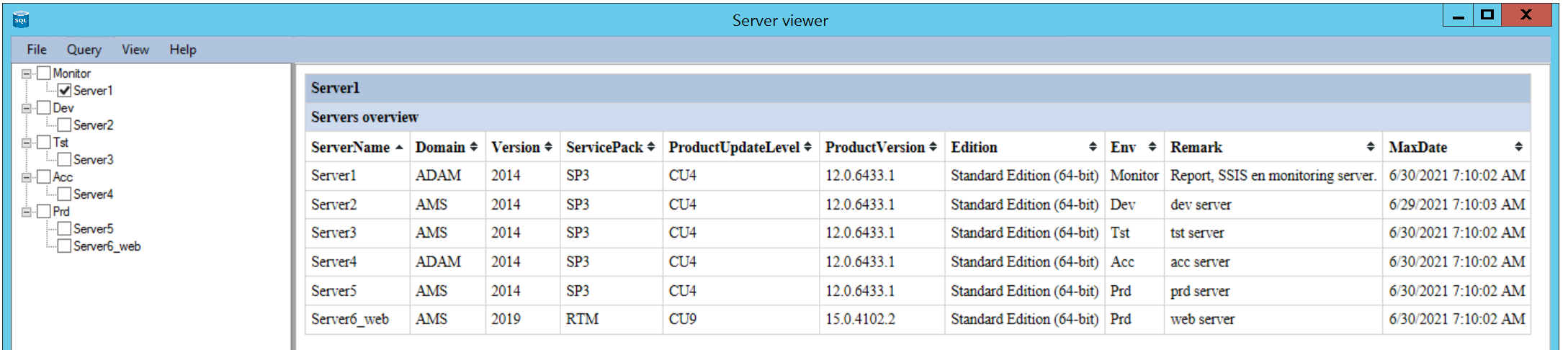
Example report Servers overview of all servers. The data comes from the tables 'Servers' and 'ServerInfo'.
Example report Servers overview with extra info of all servers with extra patching info and whether these are up to date or not. If a server is not up to date it will be presented in red.
The data comes from the tables 'Servers' and 'ServerInfo' and 'ServicePackInfo'.

Graphical SQL reports
To get historical (graphically) views of disk space or database growth some extra tables should be created (see Extra tables).
These tables should be filled with new data daily. This can be done with PowerShell scripts or with a SSIS package and linked servers.
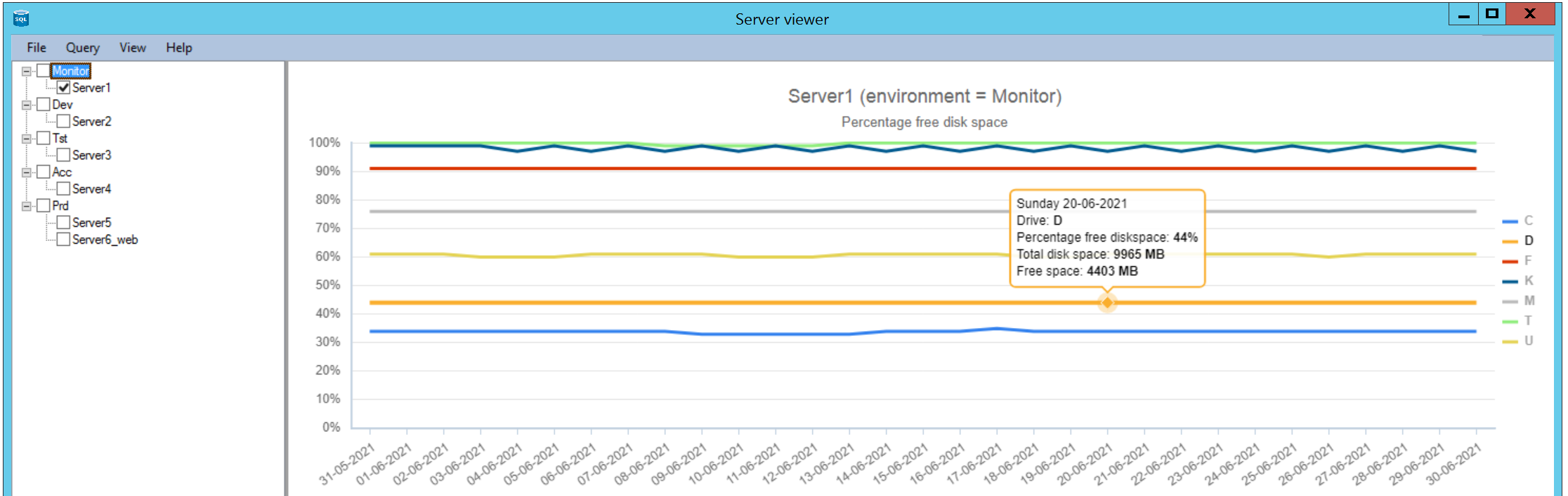
Example of a graphical line report, free diskspace on a server (this works fully in the licensed version).
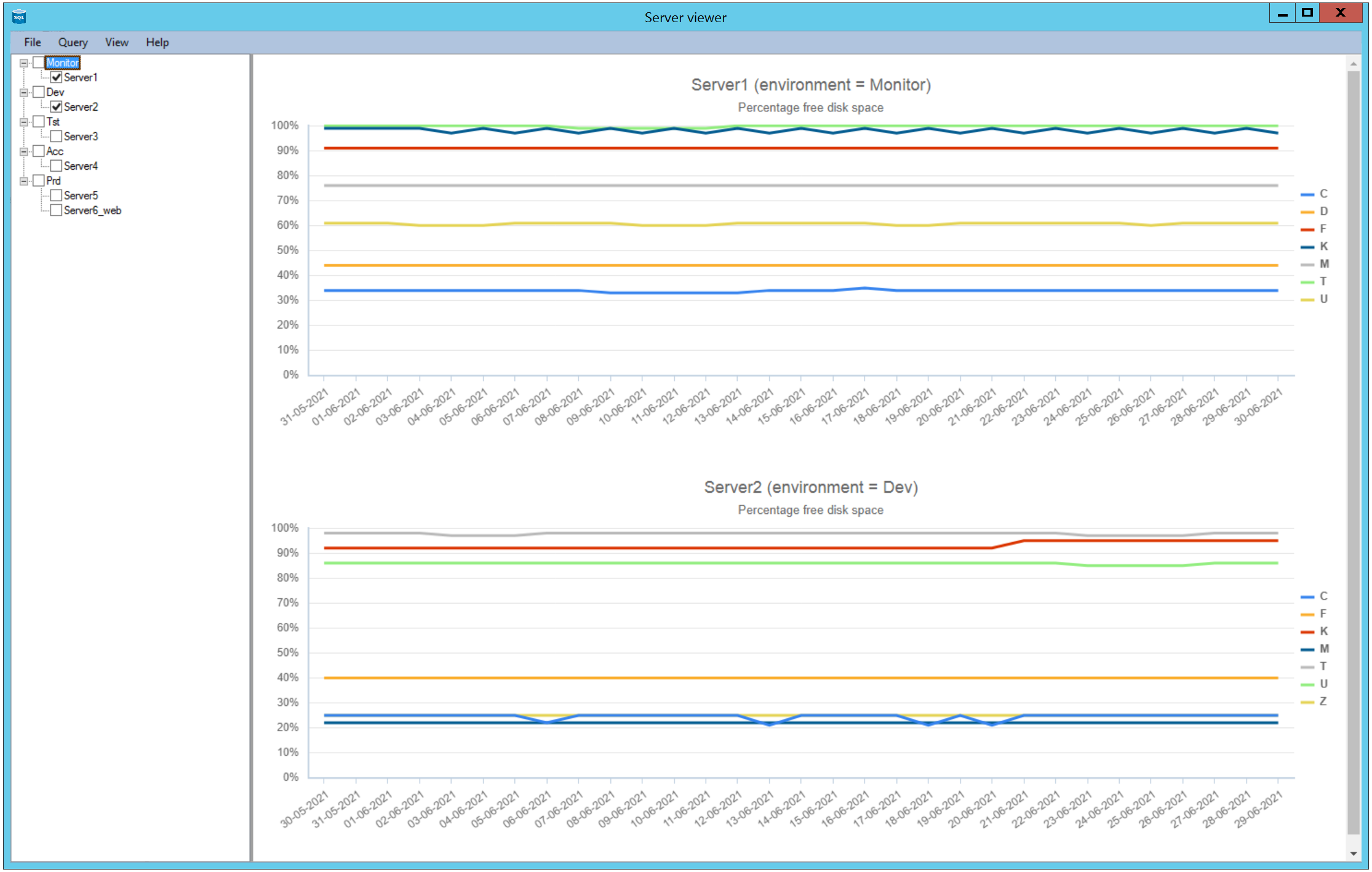
Example of a graphical line report, free diskspace on 2 servers (this works fully in the licensed version).
The data comes from the table 'Drives'.
Example of a combined graphical line report, free diskspace and actual diskspace for 1 server (this works fully in the licensed version).
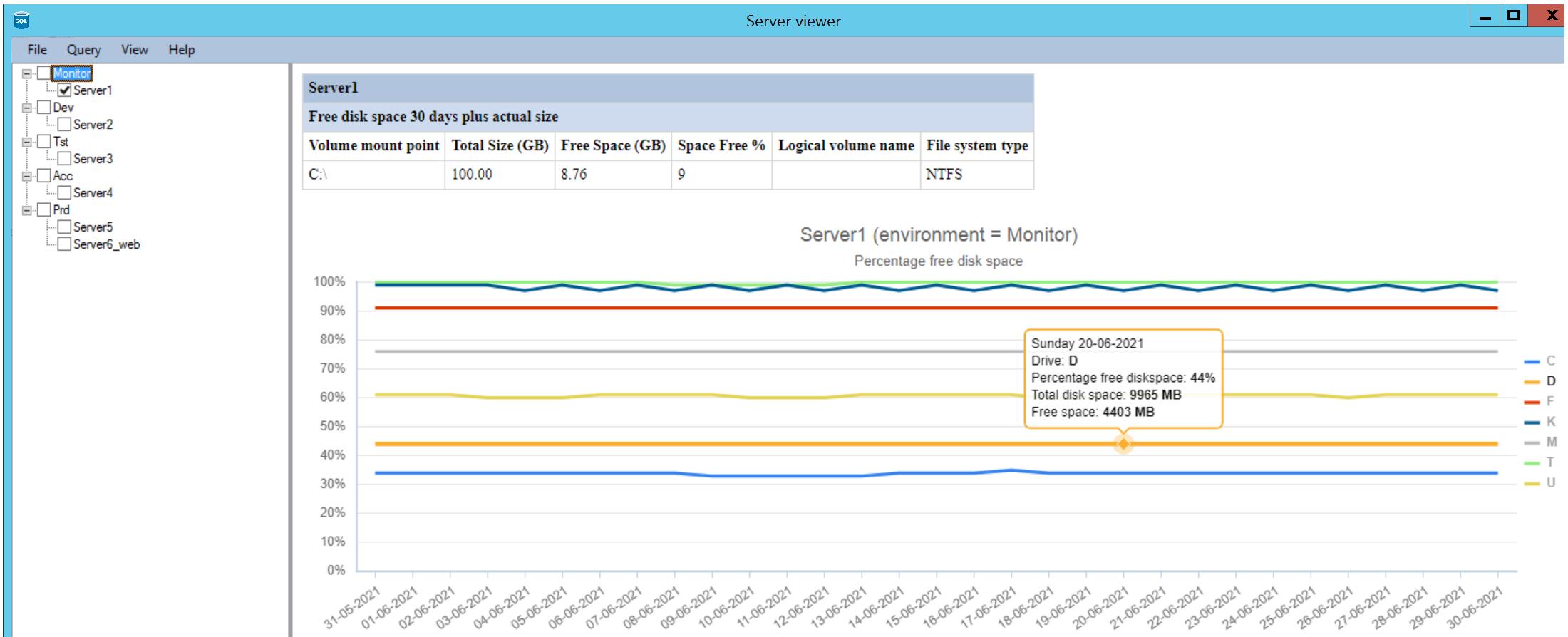
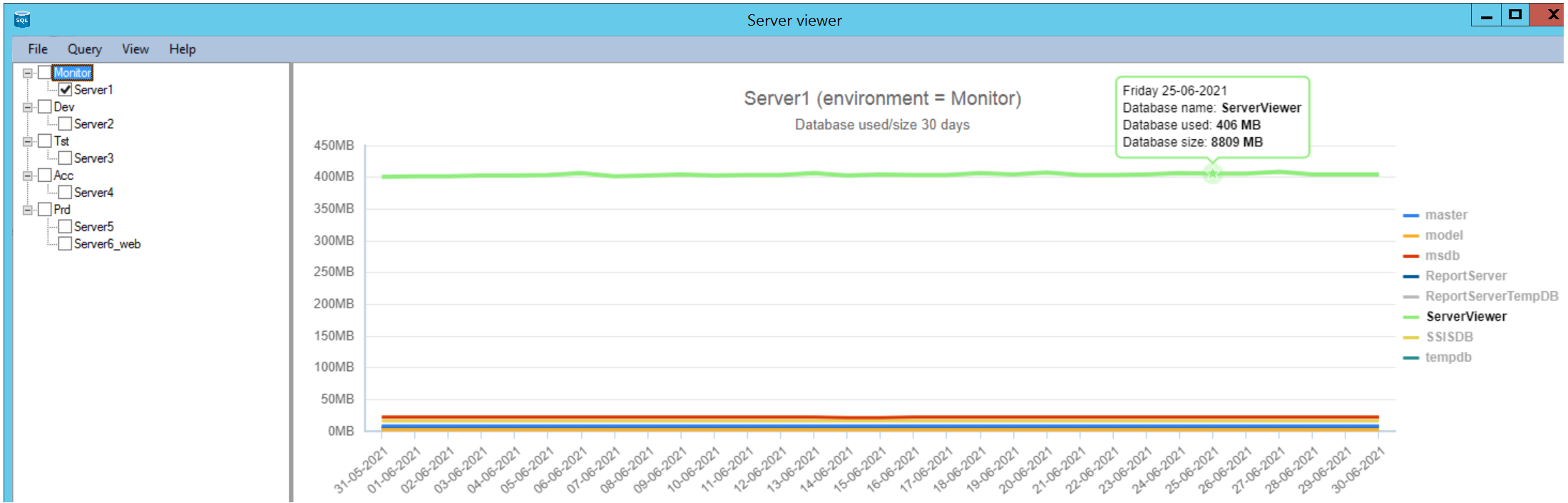
Example of a graphical line report, database used/size for 1 server (this works fully in the licensed version).
The data comes from the table 'DatabaseSize'.
SQL counter reports (20+ reports, not included by default)
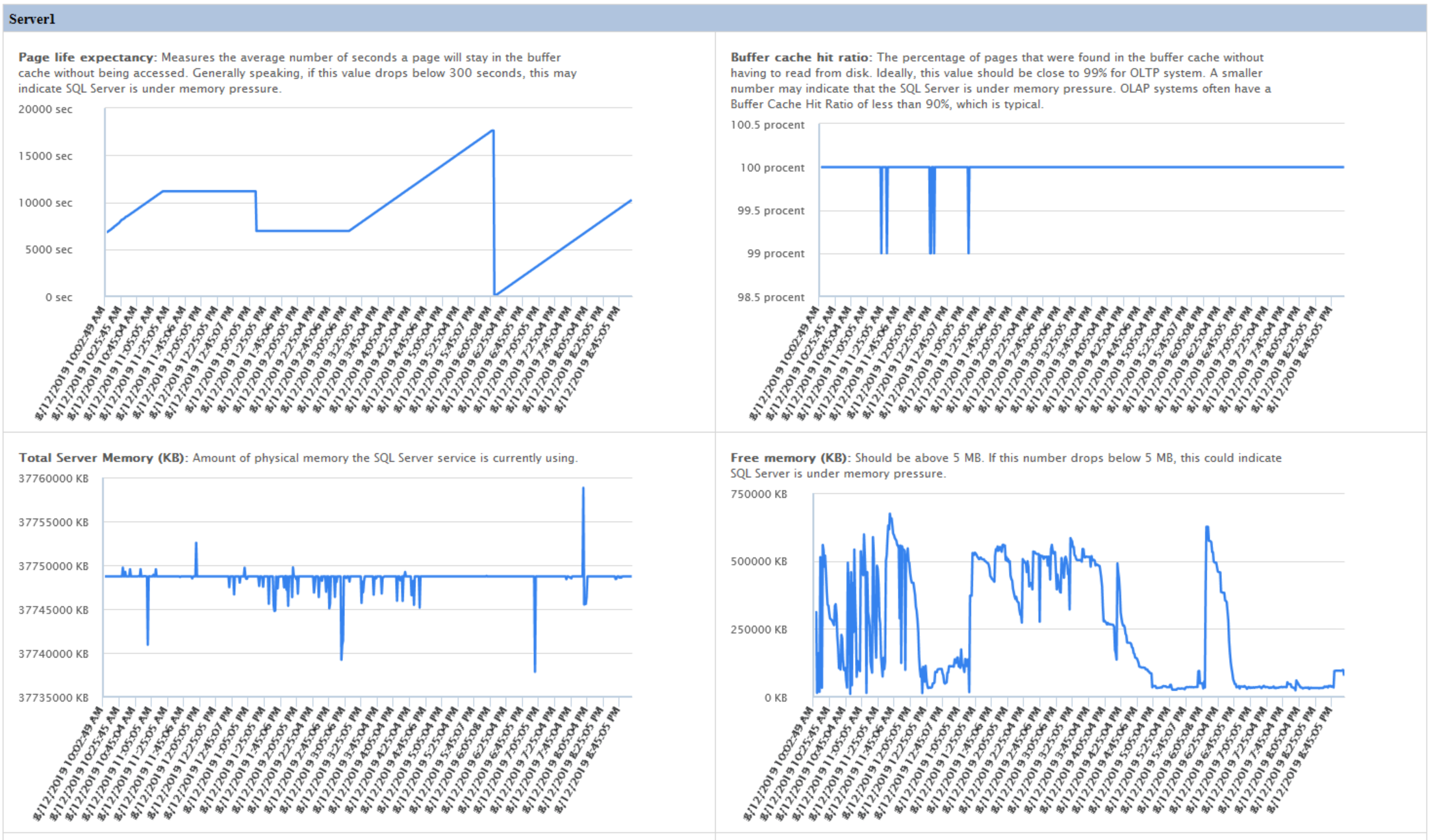
This is one example of the counter reports
Example of a report which contains 13 SQL counters (four counters are visible here) show in 2 columns with a selectable date and time (this works fully in the licensed version).
This comes from two extra tables 'SQLCounterInfo' and 'SQLCounterSelected'. These are filled by a SSIS package which is started every minute.
This can also be single counters or even 3 columns next to each other.
AlwaysOn reports (three examples of five reports, not included by default)
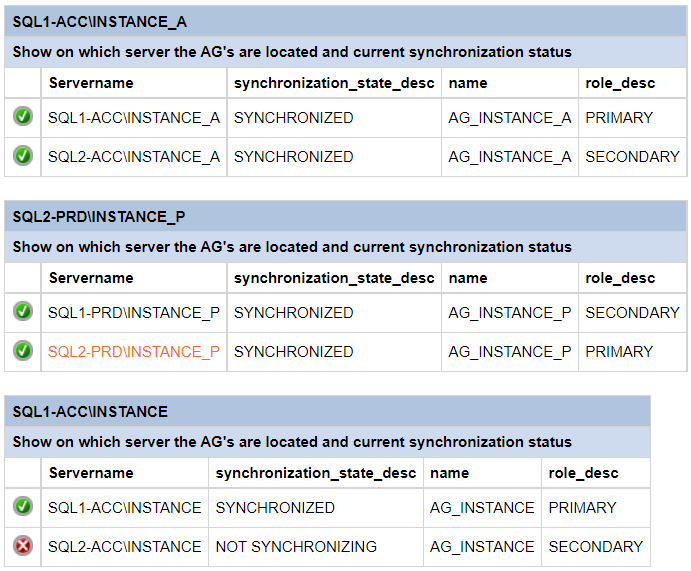
Example of an AlwaysOn report Show on which server the AG's are located and current synchronization status.
Example of an AlwaysOn report Failover_events_last_10_days.

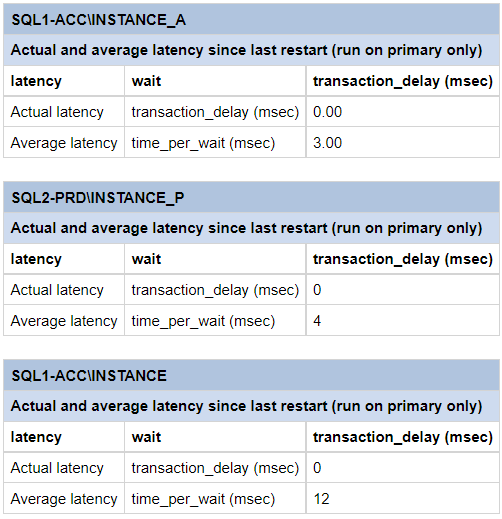
Example of an AlwaysOn report Actual_and_average_latency_since_last_restart.
Hardening security SQL reports (five reports, not included by default)
Is your company or the company you work for sometimes examined by auditors?
Are your SQL servers properly configured with regard to security settings within SQL?
Then you can immediately gain insight into this through these overviews and then make improvements.
Examples of the hardening package which can be purchased separately.
Servers are immediately scanned at 36 points and checked which hardening settings are correct and which are not.
Below server is 77,42% compliant.
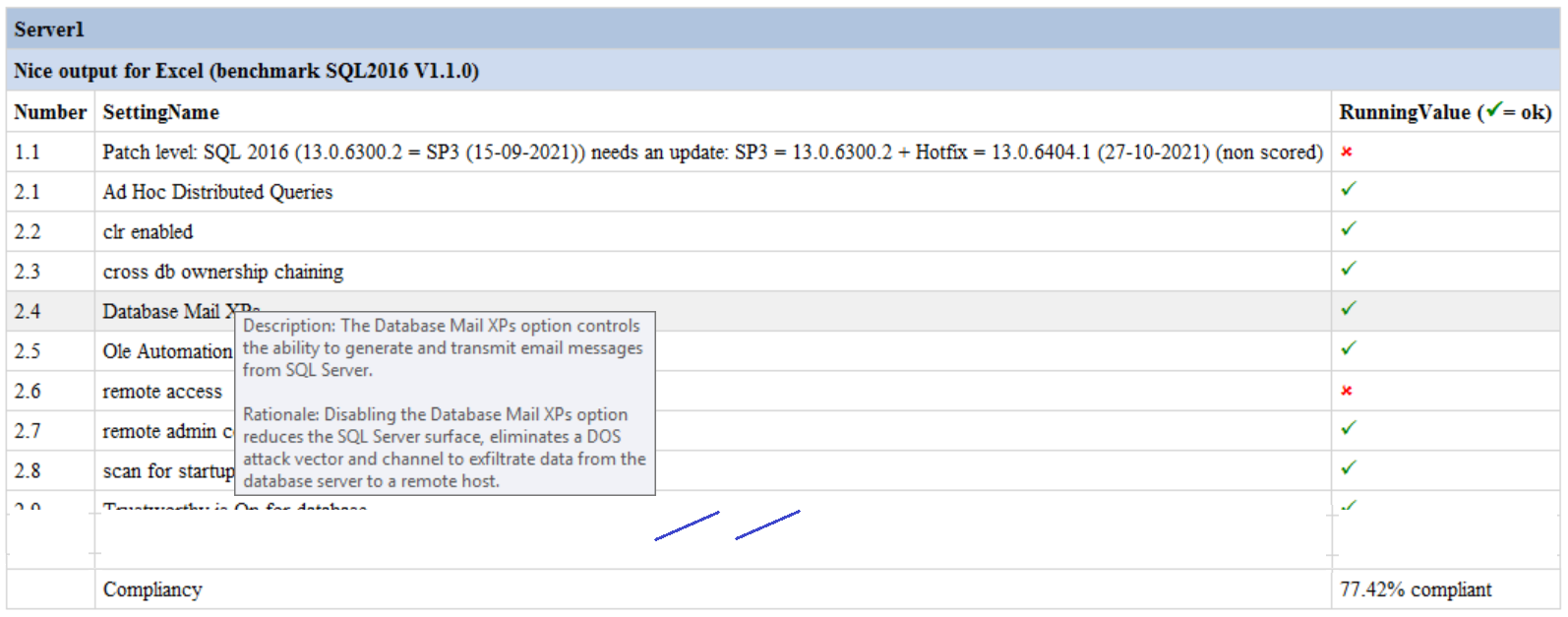
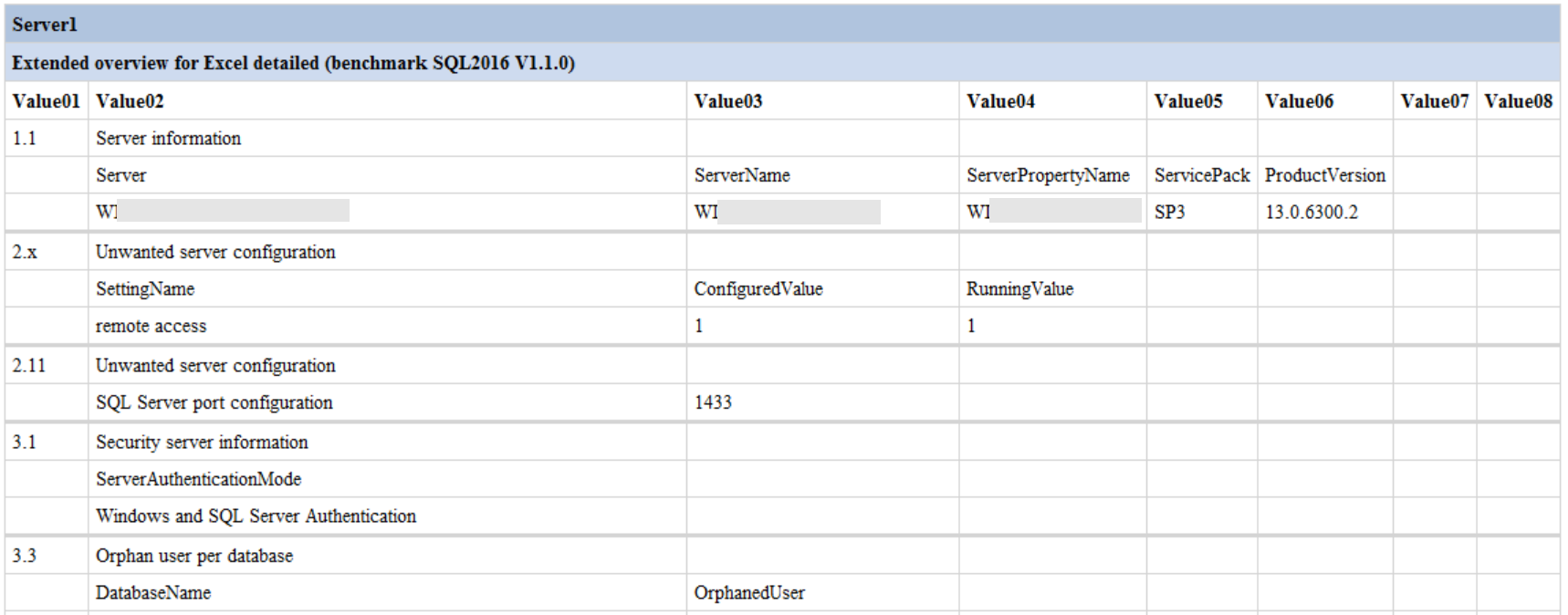
To see what is wrong per setting you can investigate the next report. This will give a detailed overview per setting that is checked.
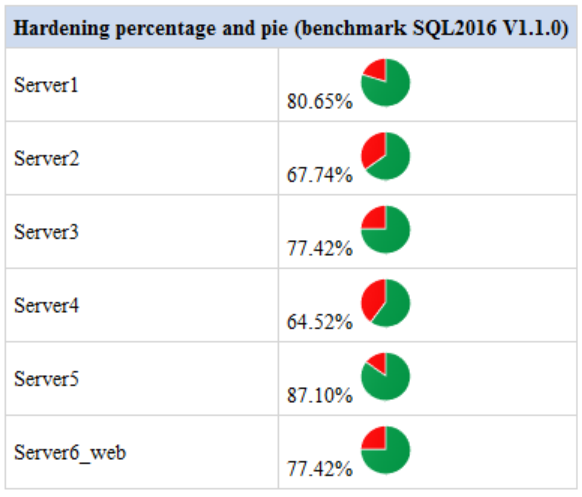
The report 'Nice output for Excel' can also be displayed with piecharts (the piechart images are in the folder Images and can be edited yourself).
If you save the results of the scan you could display a difference (the arrow images are in the folder Images and can be edited yourself).

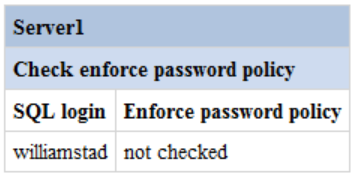
Example of a report where the setting 'Enforce Password Police' is not enabled for a SQL user.